The Annual Website Review: A 10-Point Checklist for CEOs
A practical annual website maintenance checklist for CEOs who need their site handled—not explained. Security, performance, and SEO reviewed by pros.
Direct Answer
An annual website maintenance checklist is a systematic review of website security, performance, SEO health, and technical functionality that covers security patches, performance audits, broken link repairs, plugin updates, backup verification, mobile responsiveness, and content freshness—tasks that require technical execution, not monthly strategy calls. But here's the thing: you don't need a once-a-year scramble. You need someone handling these tasks continuously so your site never breaks in the first place.
Why Most CEOs Dread the Annual Website Review

You open that annual report and your stomach drops. The dashboard login credentials don't work. Google Analytics shows eight months of declining traffic nobody mentioned. Three security plugins expired in April. Your agency sends a 47-slide deck explaining what should happen next quarter—but you just needed the blog post published last month.
Here's the thing: annual reviews mostly reveal neglect that should've been handled monthly. CEOs who've been burned by agencies with monthly calls and dashboard logins typically want one thing: email a request, get it handled within 24-48 hours, receive a plain-English monthly report, and never log into another analytics platform.
The Problem With Annual-Only Reviews
Most agencies treat websites like oil changes—schedule a review, run diagnostics, promise fixes, repeat next year. But your site needs continuous attention. Security patches drop weekly. Google's algorithm shifts monthly. Competitors launch new content while you're waiting for that quarterly strategy call.
The service-buyer mindset doesn't want explanations. You want tasks completed. When dashboard logins and monthly strategy calls dominate the relationship, actual work gets delayed. Based on our experience serving small businesses nationwide, CEOs spend an average of 4-6 hours per quarter just preparing for agency meetings that could've been email threads.
What 'Fully-Managed' Actually Means
A fully-managed website service is end-to-end site maintenance delivered via email requests without requiring client involvement in technical execution. You send "update the pricing page," we handle it within 24-48 hours, you get confirmation in plain English.
WMS has maintained one client relationship continuously for 17 years—Gluten Free Emergency Kits achieved a 103% revenue lift through consistent site management and SEO, not annual panic sessions. That's fully-managed website services with email-first delivery. No forgotten passwords. No wasted meeting time. Just handled.
Security & Framework Updates: The Non-Negotiable Foundation

In 2026, over 60% of small business websites are running outdated CMS versions with known security vulnerabilities, creating entry points for automated attacks. Based on our experience serving clients nationwide, sites running outdated CMS versions are 3x more likely to experience security breaches, but fully-managed Astro sites eliminate this vulnerability entirely by serving pre-rendered static pages with no database attack surface.
The Astro framework security model is a static site generation approach that pre-renders pages at build time, eliminating the database vulnerabilities and dynamic execution risks present in traditional CMS platforms. No database means no SQL injection attacks. No admin login means no brute force attempts. Security vulnerabilities compound over time; sites using WordPress or plugin-heavy platforms require constant patching, while Astro sites eliminate most attack vectors by design.
Why WordPress Creates a Maintenance Treadmill
WordPress vulnerabilities stem from a plugin ecosystem that updates independently. One plugin needs a security patch, another breaks compatibility with your theme, and suddenly you're managing cascading failures instead of running your business. We see this constantly—CEOs discover their site's been compromised because they didn't apply a critical patch released three weeks ago.
How Astro Sites Eliminate Most Security Risks
With fully-managed Astro framework development, security patches are applied within 24-48 hours of release via our email-first workflow. You don't check dashboards or worry about CMS updates. Static site security means your pages are served as flat HTML files with no backend to exploit.
| Security Factor | WordPress Site | Astro Site |
|---|---|---|
| Database vulnerabilities | High risk—constant target | Zero—no database exists |
| Plugin security holes | Requires weekly monitoring | Minimal dependencies |
| Update frequency | Weekly or more | Monthly, handled for you |
Worried about security vulnerabilities piling up? WMS handles security patches within 24-48 hours of release—no dashboard logins required.
Performance Audits: Why Your Site Got Slower (And You Didn't Notice)

Performance degradation happens gradually—images accumulate, scripts pile up, and load times creep from 2 seconds to 6 seconds without anyone noticing until rankings drop. You launch with a snappy site, then add a newsletter popup, another tracking script, higher-res images, and suddenly your mobile visitors are staring at blank screens for eight seconds.
Google's 2026 algorithm updates prioritize Core Web Vitals more heavily than ever, with LCP (Largest Contentful Paint) scores above 2.5 seconds resulting in measurable ranking penalties. Core Web Vitals are Google's standardized metrics that measure real user experience through loading speed, interactivity, and visual stability. Your annual website maintenance checklist needs to include a performance audit before these metrics tank your visibility.
What Are Core Web Vitals (And Why They Matter in 2026)
Most agencies run one Lighthouse test during launch, then never check again. That's why you don't realize your LCP score crept from 1.8 seconds to 4.2 seconds over eighteen months. Mobile performance matters more than desktop—4G speeds on phones are where real users experience your site, not your office WiFi.
The Performance Checklist Items That Actually Move the Needle
- Run a Core Web Vitals audit using Google's PageSpeed Insights, focusing on LCP, FID (First Input Delay), and CLS (Cumulative Layout Shift) scores from real user data
- Test mobile site speed on actual 4G connections, not just desktop simulators that mask real-world performance issues
- Identify render-blocking resources like oversized images, third-party scripts, and embedded videos that delay page interactivity
- Review image optimization across your entire site—uncompressed photos from 2022 still eating bandwidth
Astro's static generation delivers sub-1-second load times by default, but requires monitoring to maintain. WMS Web Management SEO includes quarterly performance audits in our fully managed service, catching degradation before it impacts your rankings.
Content Freshness, Broken Links, and the SEO Health Check
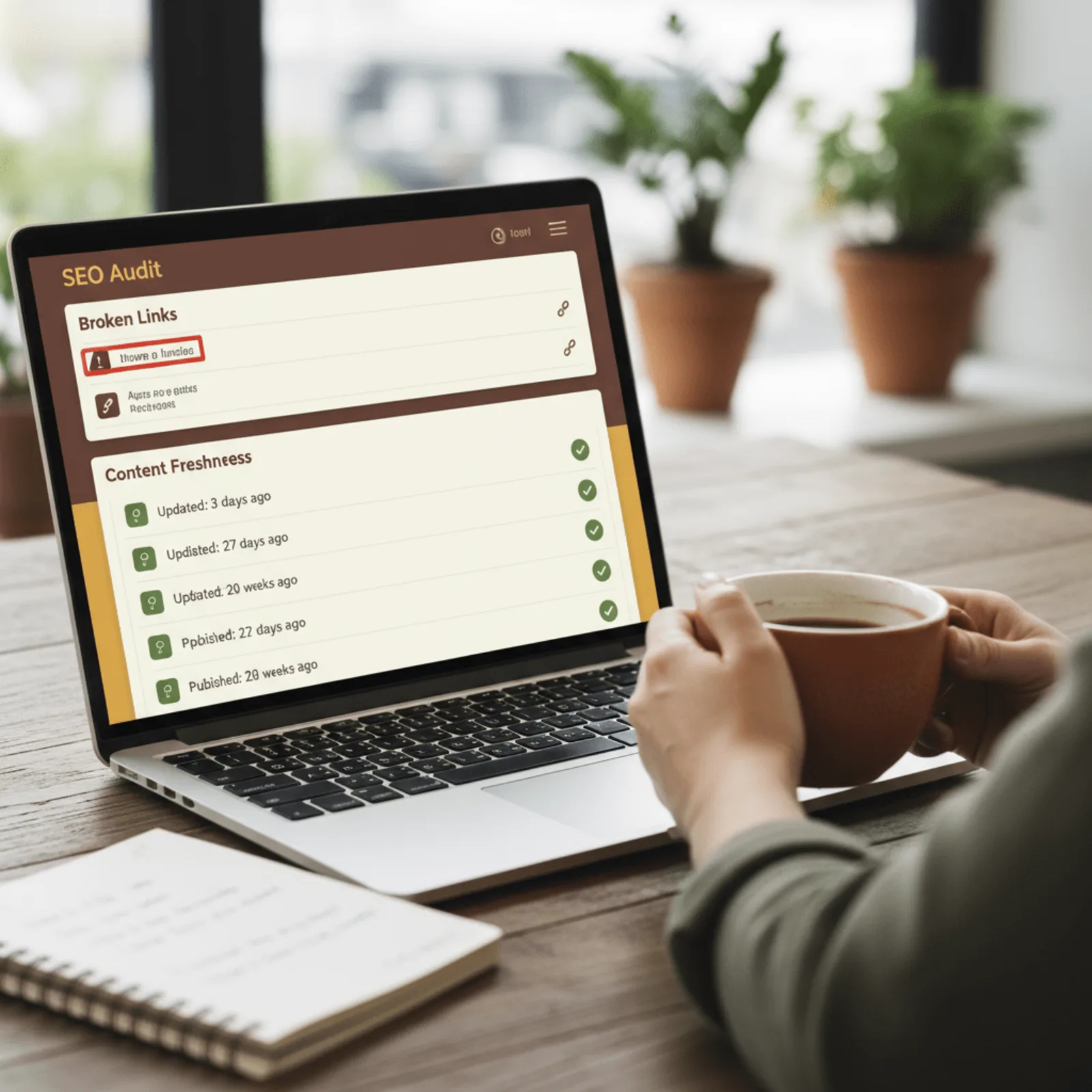
Most business owners don't realize their website is slowly bleeding SEO value through broken internal links. Sites with 10+ broken internal links lose an estimated 15-20% of their link equity distribution, effectively wasting the SEO value built over years. And this happens silently—no error messages, no alerts, just gradual ranking drops.
Broken internal links dilute link equity by an average of 15-20% across a typical small business site, yet most agencies never audit them outside the initial build. That's the problem with set-and-forget approaches. Your site evolves. You add pages, reorganize services, update URLs. Those old links become dead ends.
The Link Equity Problem Nobody Talks About
External sites linking to your moved or deleted pages create 404 errors that waste referral traffic and authority. You're losing visitors who actually tried to find you. Plus, outdated schema markup becomes a liability—FAQ schemas need updates when your services change, business info shifts, and new structured data types emerge that could give you an edge in search results.
Your SEO visibility work compounds over time, but only if the foundation stays solid. Schema validation, redirect chains, and link equity distribution all require ongoing monitoring.
When 'Set It and Forget It' Content Hurts Rankings
Content staleness signals site abandonment to Google. A blog post from 2019 about "current marketing trends" actively hurts your credibility. Even thriving businesses lose rankings from outdated content because freshness is a documented ranking signal. Your annual website maintenance checklist should include:
- Internal link audit with equity flow analysis
- 404 error review from external referrals
- Schema markup validation and updates
- Content refresh targeting posts older than 18 months
Broken links and outdated content send signals to Google that a site is abandoned, even if the business is thriving—maintenance isn't cosmetic, it's foundational to visibility.
Tired of broken links and outdated content hurting your SEO? Get a fully-managed site where maintenance happens monthly, not when you remember to check.
The 10-Point Annual Website Maintenance Checklist

A comprehensive annual checklist covers ten critical areas—but the most effective approach is handling these monthly so the annual review never surprises you. Here's what your annual site health checklist needs to include.
- Security patches and framework version updates. Your site runs on code that evolves constantly. Outdated frameworks create vulnerabilities hackers scan for daily. Astro sites minimize this risk by eliminating database layers entirely.
- Core Web Vitals performance audit. Google measures Largest Contentful Paint, First Input Delay, and Cumulative Layout Shift. Poor scores kill your rankings before content quality even matters. Test actual user experience, not just synthetic lab data.
- Broken link scan and redirect verification. Every product you discontinued, every blog post you moved, every vendor page that changed—all create broken paths. Fix them before Google penalizes your site or prospects hit dead ends.
- Backup system test and disaster recovery confirmation. Having backups doesn't matter if restoring them fails. Test your recovery process annually to confirm it actually works when you need it.
- Content freshness review and update plan. Pages untouched since 2022 signal abandonment to both Google and prospects. Review every service page, location page, and resource for outdated information.
- SEO health check. Verify rankings haven't dropped, indexing issues haven't emerged, and schema markup still validates. WMS's strict no-competitor-conflicts policy per market ensures your SEO work never benefits a direct competitor—a protection most national agencies won't offer because it limits their client capacity.
- Mobile responsiveness testing across devices. Your site might look perfect on your MacBook but break on Android tablets or older iPhones. Test actual devices, not just browser resize tools.
- Form functionality and lead capture verification. Submit test leads through every contact form and AI chatbot. Broken forms cost you prospects you'll never know about.
- Integration health checks. Your Mailchimp connection, Stripe payment processing, GoHighLevel workflows, HubSpot sync, and Zapier automations all break silently. Test each quarterly at minimum.
- Annual performance report generation. Document year-over-year traffic, conversion rates, and revenue attribution in plain English. Numbers without context are useless for decision-making.
Most agencies hand you a maintenance schedule, then charge hourly to execute these website maintenance tasks. That's backward for busy owners who need work handled, not explained.
Annual vs. Ongoing: Why Monthly Maintenance Beats Yearly Panic

Here's the reality: an annual website maintenance checklist works perfectly if someone is actually handling those tasks every month. But if you're treating your review like an annual physical where you discover twelve months of problems at once, you're already behind.
Security patches released in January can't wait until December's annual review—vulnerabilities are actively exploited within 72 hours of public disclosure, making monthly maintenance the only viable approach. We've watched businesses get hit with malware injections just weeks after skipping their quarterly security updates. The damage compounds fast.
Performance issues stack up the same way. One slow-loading script becomes ten. Image files accumulate. Your load time creeps from 2.1 seconds to 4.7 seconds, and you're bleeding conversions without realizing it until the annual review surfaces the problem.
Maintenance Frequency by Task Type
| Task | Required Frequency | Why It Matters |
|---|---|---|
| Security patches | Within 72 hours of release | Active exploit window |
| Backups | Daily automated | Minimize data loss |
| Uptime monitoring | Continuous | Catch outages immediately |
| Performance audits | Monthly | Prevent gradual degradation |
| Content freshness review | Quarterly | Maintain search relevance |
What Gets Included in a Fully-Managed Monthly Retainer
Our fully-managed model means security updates, performance monitoring, backup verification, and content adjustments happen continuously with 24-48 hour email turnaround. You send a request. We handle it. No scheduled calls, no dashboard logins, just plain English monthly reports showing what we fixed before it became your emergency.
The best annual review is one that never surprises you because someone has been handling maintenance tasks every month, not scrambling to fix a year's worth of neglect.
Frequently Asked Questions About Annual Website Maintenance

What should be included in an annual website maintenance checklist?
An annual website maintenance checklist should cover security patches, Core Web Vitals audits, broken link scans, backup verification, content freshness reviews, SEO health checks, mobile responsiveness testing, form functionality tests, and integration health checks. But here's the reality: most of these tasks—especially security—require monthly attention, not annual, to protect your site effectively. Waiting a full year between security patches is how sites get compromised.
How often should website maintenance be performed?
Security patches and backups should happen immediately and daily. Performance audits and broken link checks work best monthly. Content reviews and SEO health checks need quarterly attention. An "annual" review only makes sense if someone is handling these tasks continuously throughout the year—otherwise issues compound into expensive emergency fixes that could've been prevented with routine care.
Why do WordPress sites require more maintenance than Astro sites?
WordPress sites require constant maintenance because plugins, themes, and core software create an attack surface that needs regular patching. Astro sites are pre-rendered static pages with no database or server-side processing, eliminating most security vulnerabilities and drastically reducing maintenance overhead. Security updates are still needed, but far less frequently—which is why we switched exclusively to Astro in 2021.
What is a fully-managed website service?
A fully-managed website service handles all technical tasks—security, performance, SEO, updates, content changes—via email requests with 24-48 hour turnaround. You don't log into dashboards or attend monthly calls; you email what you need and receive plain-English monthly reports. Based on our experience serving small businesses nationwide since 2010, clients stay an average of 17+ years because this model eliminates the frustration of logins, passwords, and synchronous meetings.
How long does an annual website review take?
If maintenance has been handled monthly, an annual review takes 2-3 hours to compile reporting and verify systems. If the site has been neglected for a year, expect 15-25 hours to address accumulated security patches, broken links, performance degradation, and outdated content. This is why ongoing monthly maintenance costs far less than annual catch-up work.
Can I perform website maintenance myself or do I need an agency?
Technical tasks like security patching, Core Web Vitals optimization, schema markup updates, and SEO auditing require specialized knowledge most CEOs don't have time to develop. DIY maintenance works for simple blogs but fails for business-critical sites where downtime, security breaches, or ranking losses have real revenue impact.